Deployment Sections
Azure BOT Deployment
Welcome to the Azure Bot Deployment phase. Here you will be tasked to use Github Actions and Terraform to provision a set of Neverfail Continuous Controls (NFCC) functions inside your Azure Function app to support your deployment. After function deployment, each will be automatically registered on the NFCC platform as a customer collection bot or as a customer remediation bot.
The collection bots are used to collect component (source system/application) populations and evidence from the Sandbox Deployment cloud infrastructure provisioned in the last section. The customer remediation bots are used to ameliorate specific conditions within the Sandbox Deployment cloud infrastructure.
All assets created should have the NFCC-POC : true tag applied. The tags will make it easier to locate resources and to manage billing as tags can be used for spend tracking and budgeting.
The approximate time expected to complete these tasks is 10 minutes.
Bot Deployment Prerequisites
Please be sure you have the following data points ready before proceeding:
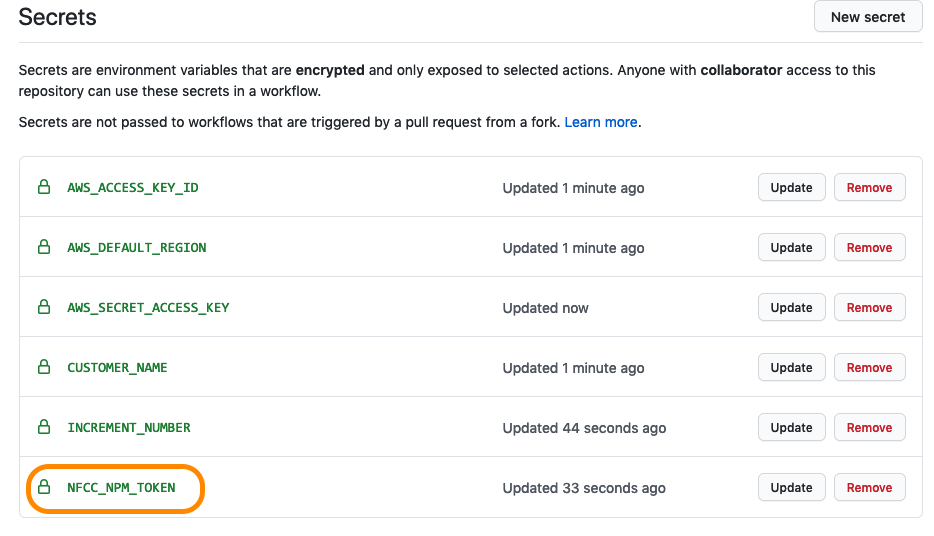
NFCC_NPM_TOKEN: Provided in your task system ticket.
1. Add Secret to the Forked Github Repository
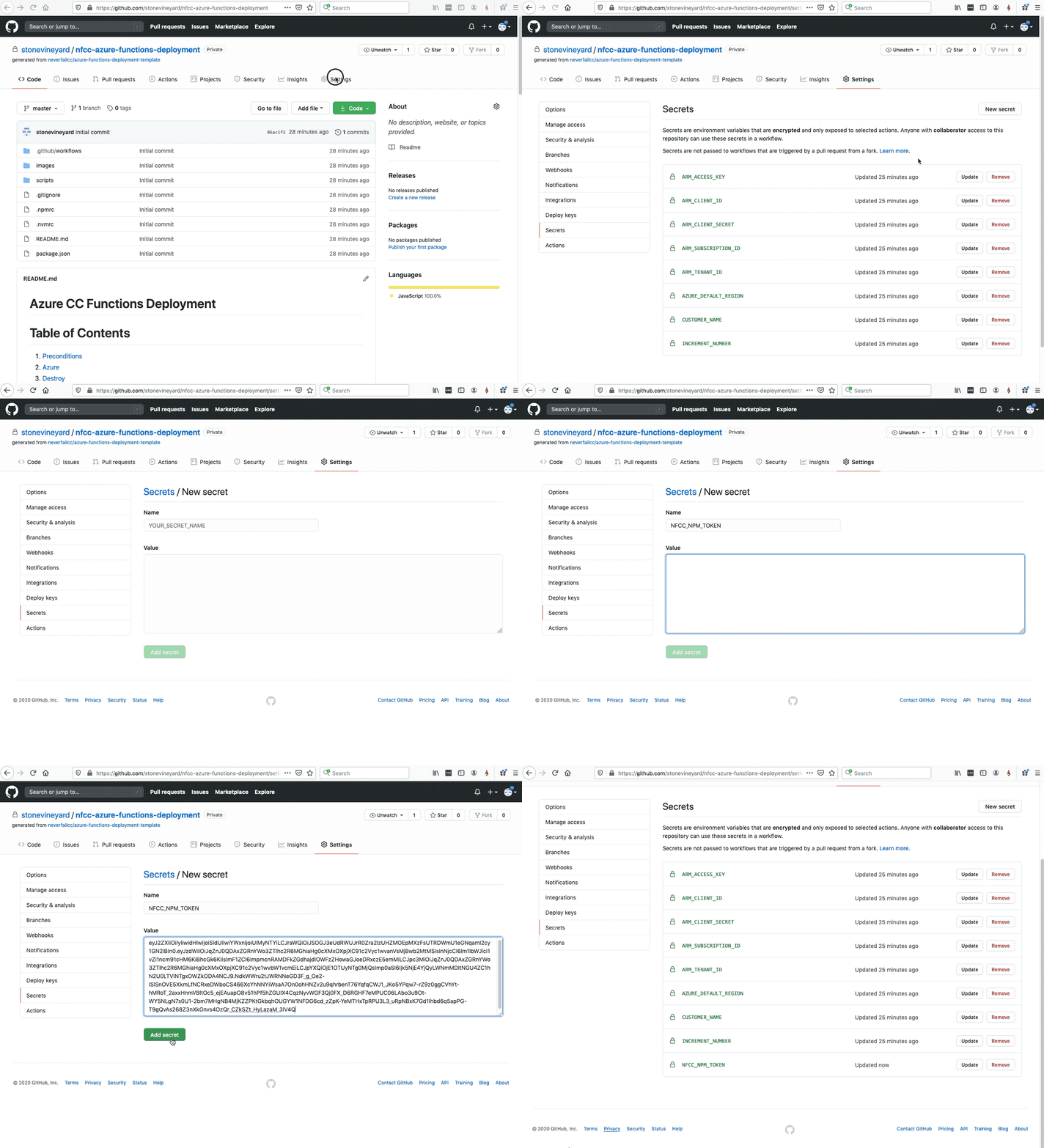
In the Github.com UI, navigate to your
/nfcc-azure-deployment repository view, then click on the Settings tab.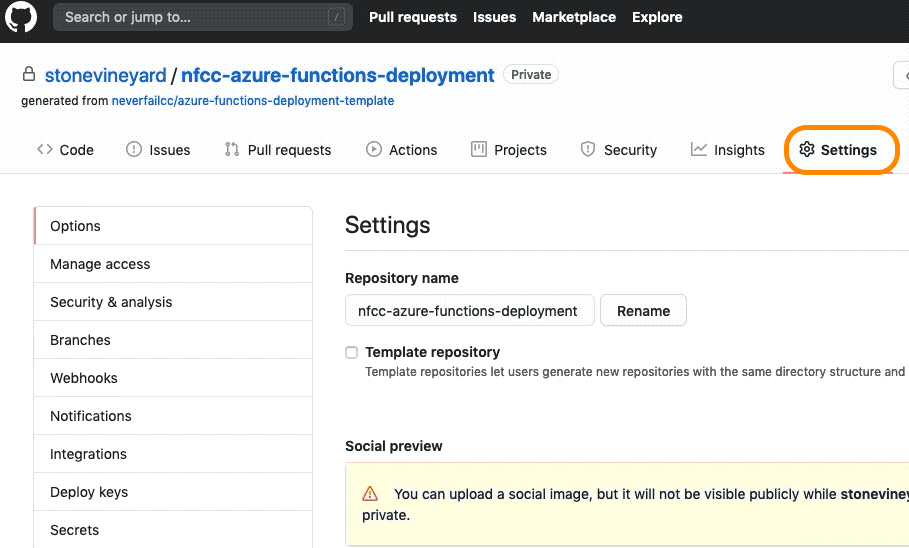
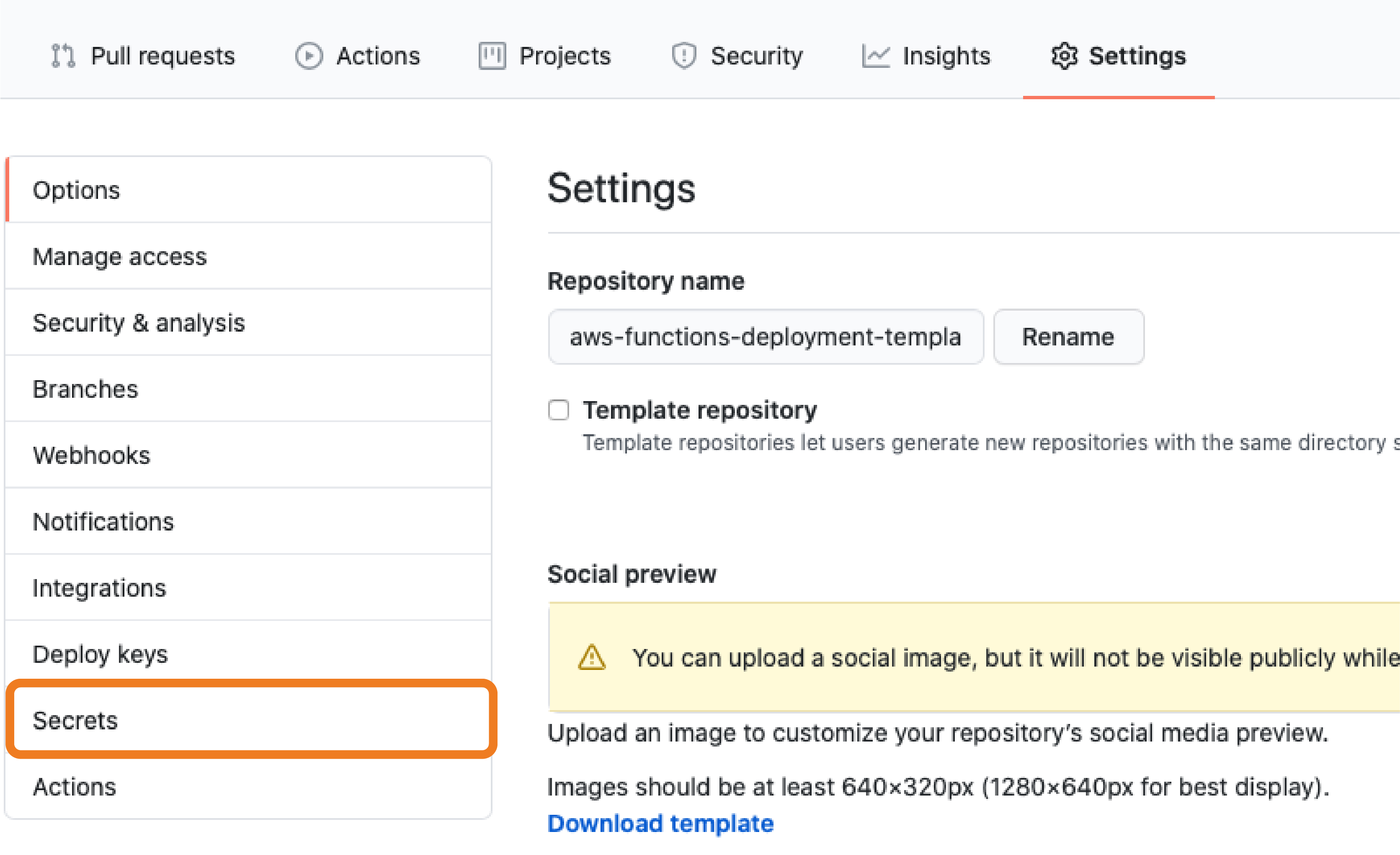
Click on Secrets on the left-hand menu.
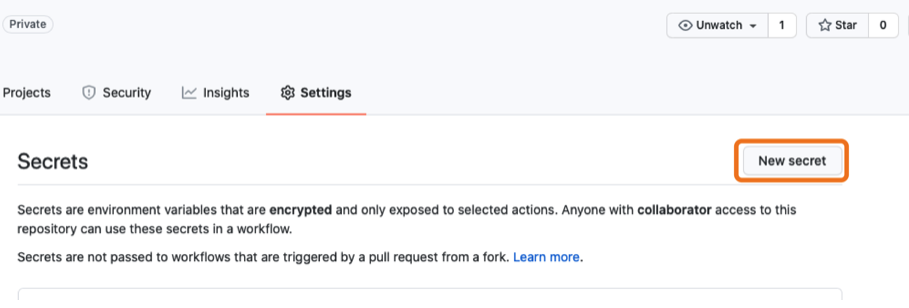
Click on New secret to add the new NPM Token secret.
Enter the following NPM secret variables:
- Name =
NFCC_NPM_TOKEN - Value = Copy this variable from your task ticket.
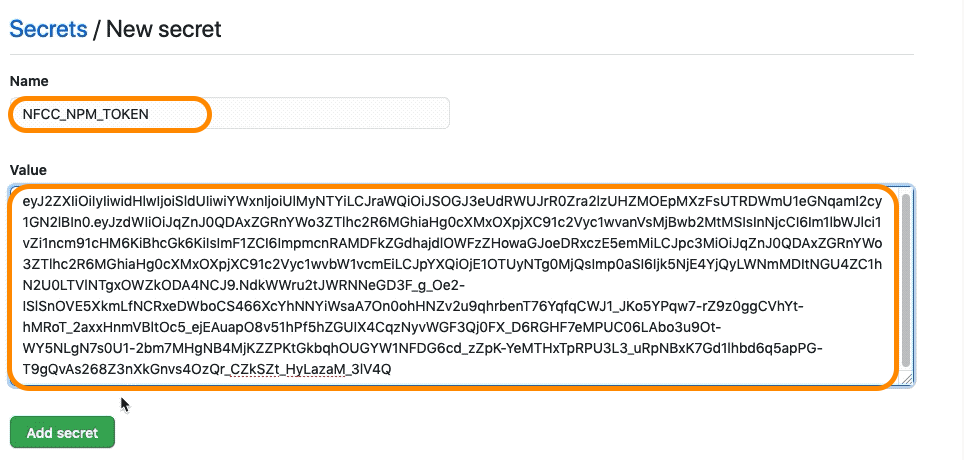
- Name =
Then “Add secret”
2. Trigger the Github Actions Workflow
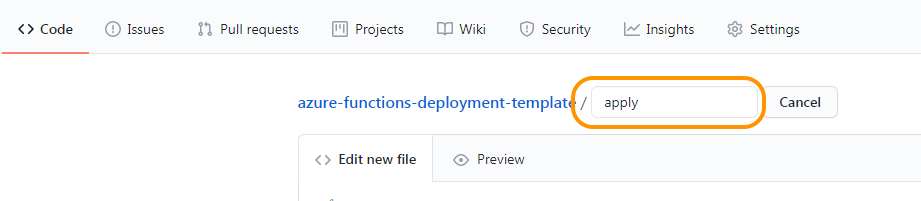
To start the deployment process using GitHub Actions, create a file named “apply” in the root of the repository.
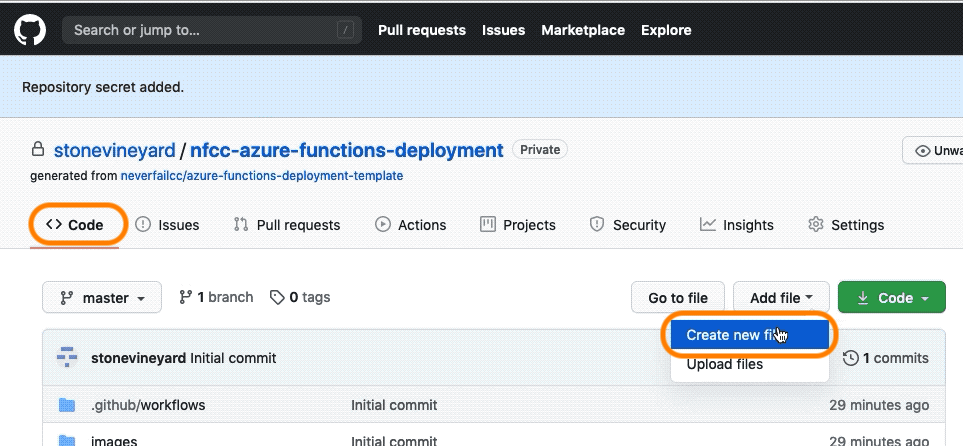
Click on the < > Code tab.
Click Add file, then Create new file.
Input the new file name “apply”, then scroll down.
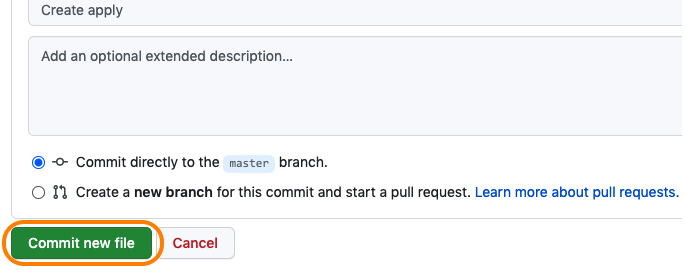
Select Commit new file.
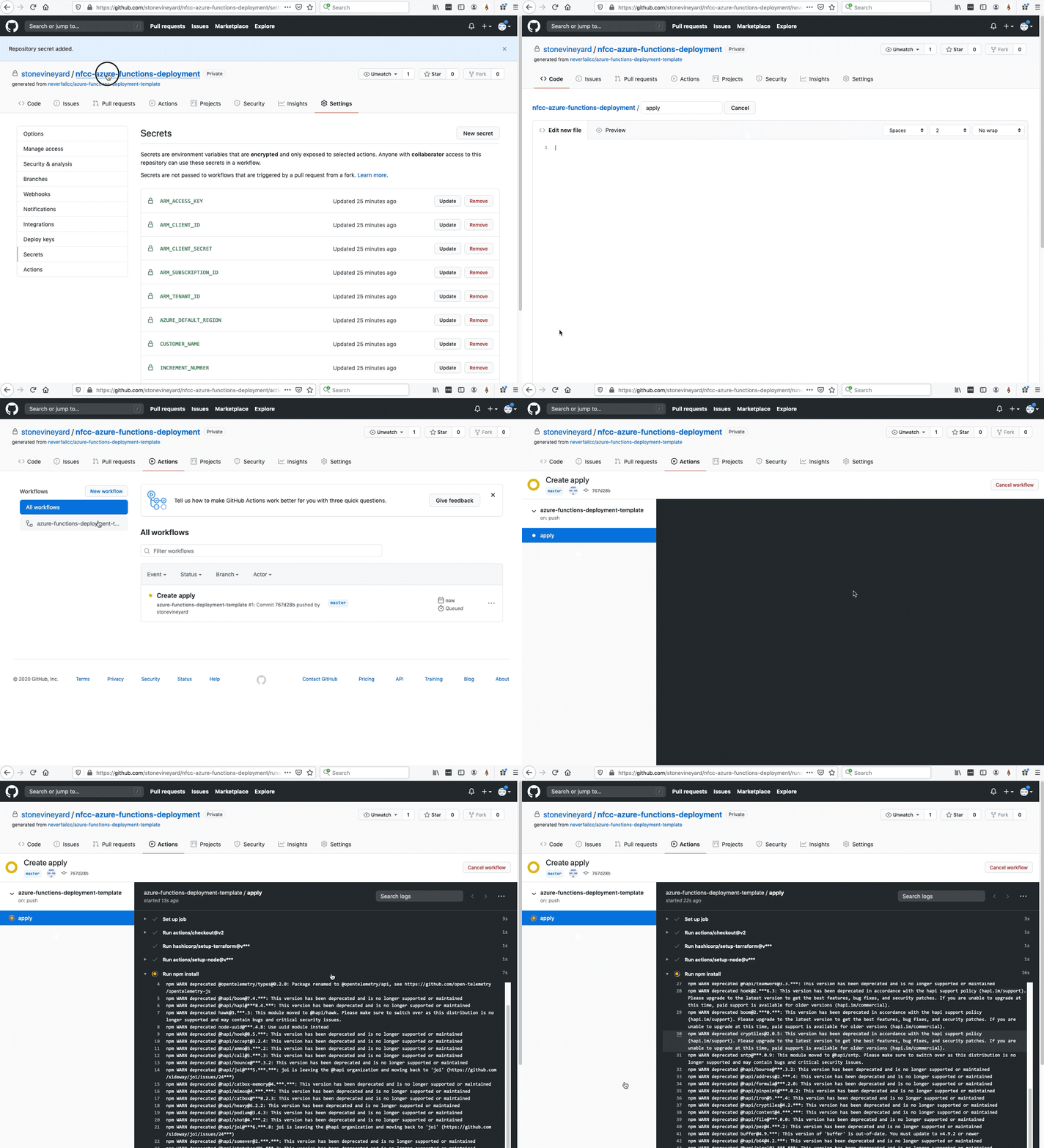
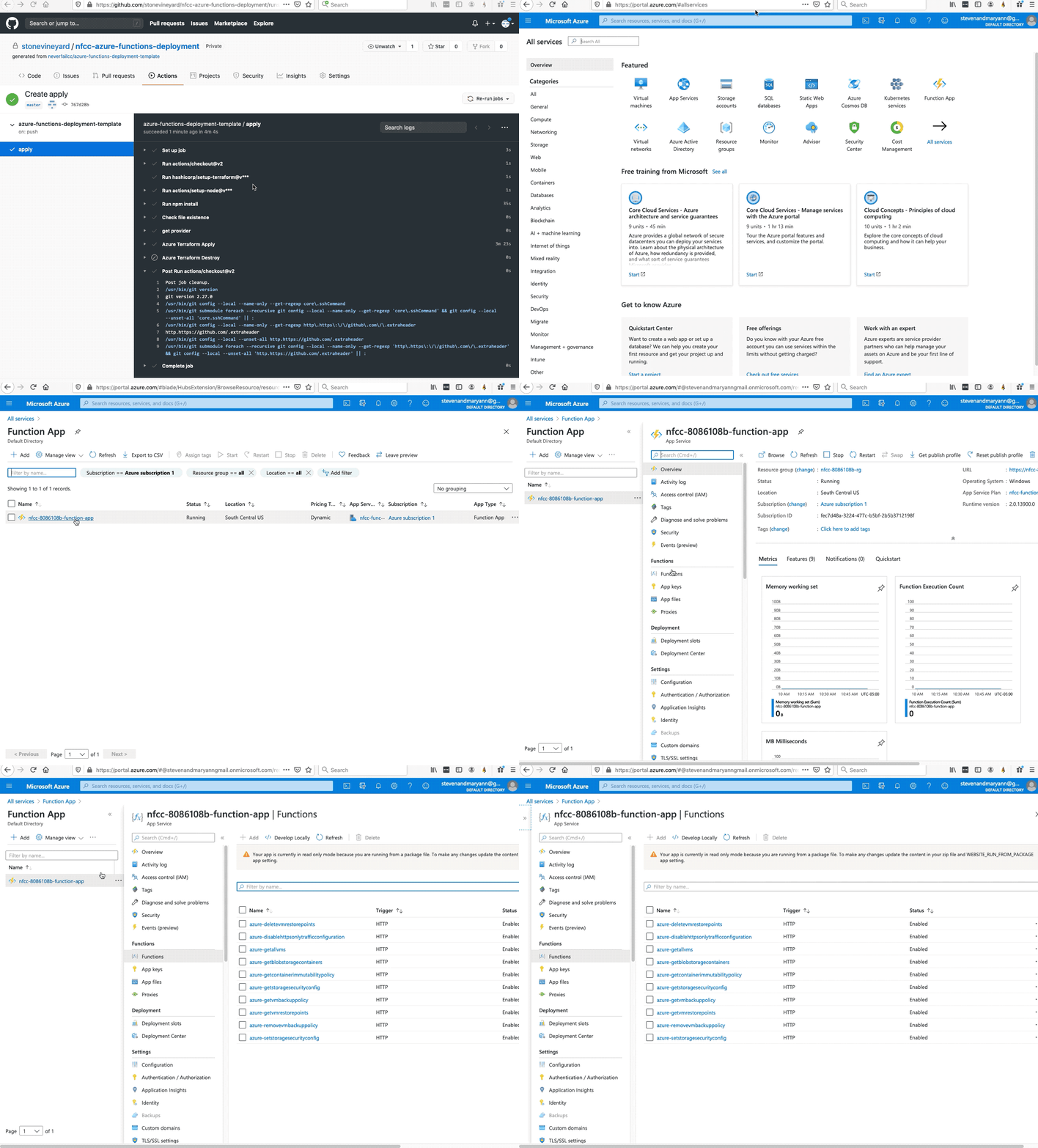
Feel free to visit the Actions tab in the Github repository to view the deployment tasks.
Terraform Job General Troubleshooting
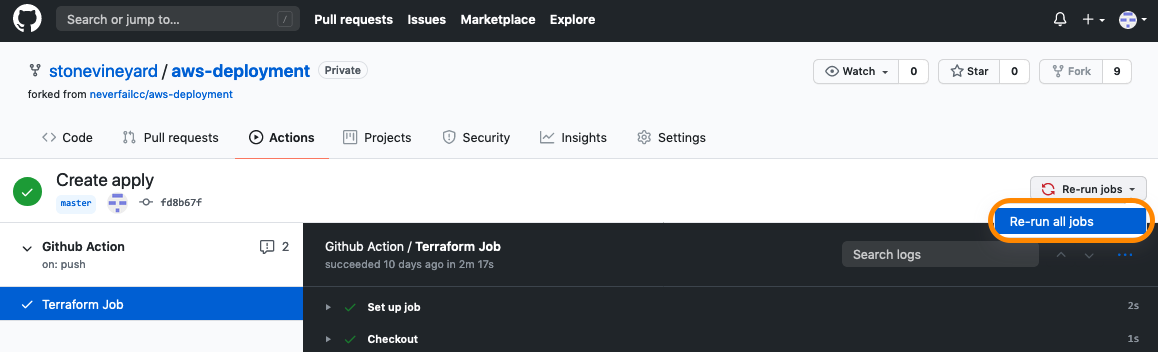
We have tried to capture and handle all possible scenarios during the infrastructure deployment, but due to the complexity of the operation, it is possible that something can go wrong. If you receive an error during the Terraform job, first, let the job complete, then afterwards, try re-running the job by clicking the Re-run jobs button on the top-right. If you still have problems, feel free to reach out to your engagement lead for assistance.
Terraform will run for the next 2-3 minutes, take a moment to reflect on what’s happening here.
We are taking the NPM Artifacts and deploying them as Azure Function App functions, which will be registered as bots in our platform.
3. Verification of Asset Creation
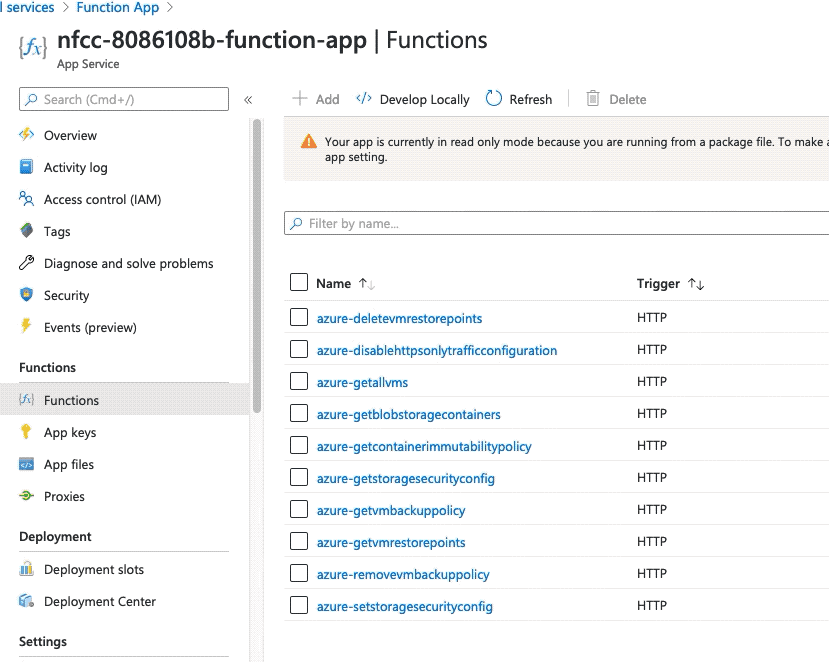
The Terraform automation will provision a set of Azure Function app functions listed below, which will be used to collect testing evidence from the deployment components.
4. Power BI Dashboard Refresh
With the bots are registered, the Continuous Controls platform executed an initial test run for the AWS test suite. The Power BI dashboard needs to be refreshed in order to display the results of this initial test suite run.
In Power BI, navigate to your Workspaces.
(in the left-hand menu)Click on the NFCC workspace app.
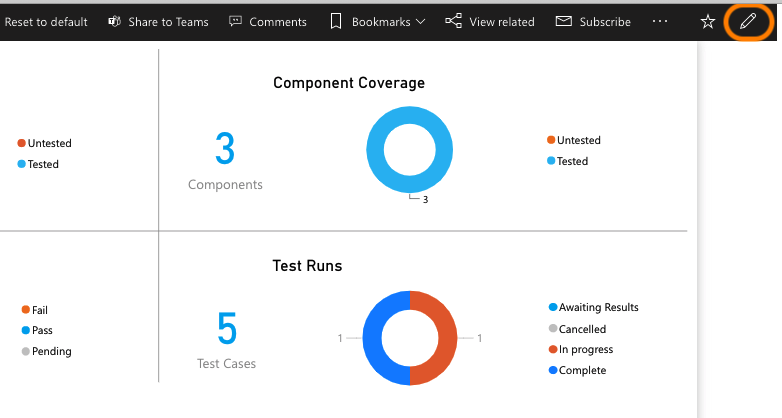
Select the pencil icon on the upper-right to edit settings tab.
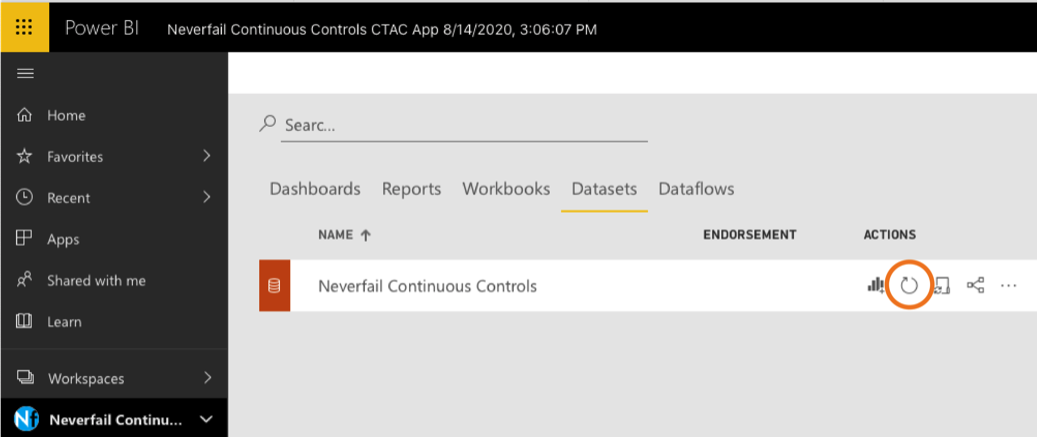
Click the Datasets tab, then the refresh icon, per screenshot.
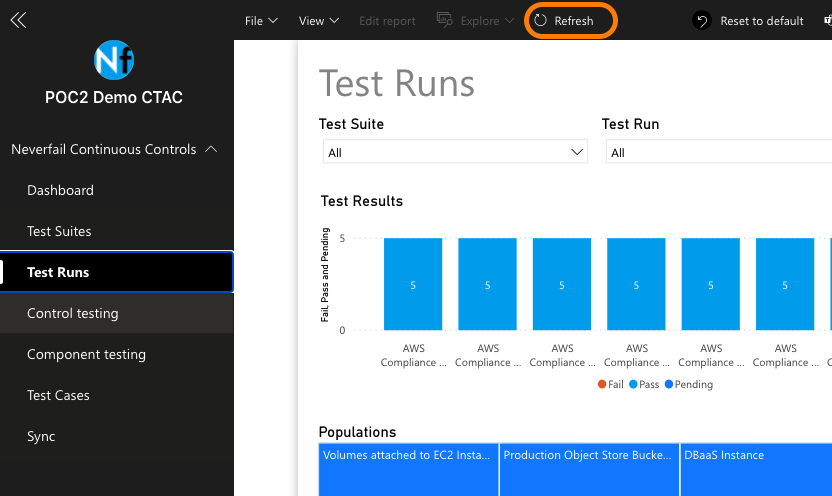
If the report doesn’t refresh, use the refresh button in the top sub-menu bar..
IMPORTANT NOTE: If you do not see updated data in the dashboard, it is possible that something is wrong with your WIQ team feature configuration. If this occurs, you should be sent a “WorkflowIQ Unavailable Requires Remediation” task. Please visit your Task system to see if this is the case. Assuming this occurred, you will need to update and test the configured File Team Feature for the “IT Team.”If the report doesn’t refresh, use the refresh button in the top sub-menu bar.
It’s a WRAP! Your final onboarding deployment is done.
UP NEXT: Time to dive into your active state Sandbox Deployment. Your ticket for accessing the deployment environment is waiting for you in JIRA.