Deployment Sections
Azure Sandbox Infrastructure Deployment
Welcome to the Azure Sandbox Infrastructure Deployment phase. Here you will be tasked to use Github Actions and Terraform to provision a set of assets needed for the deployment. All assets created should have the NFCC-POC : true tag applied.
The approximate time expected to complete these tasks is 30 minutes.
Deployment Prerequisites
- Please make sure your engagement lead has provided the nfcc_azure_bootstrap.ps1 script file. This file will need to be uploaded to the Azure cloud shell momentarily. This file is also located in the scripts subfolder of the https://github.com/neverfailcc/azure-deployment - Connect to preview repository.
- Please be sure you have the following data points ready before proceeding:
CUSTOMER_NAME: Provided in your task system ticket.INCREMENT_NUMBER: 1
1. Fork the Azure Deployment GitHub Repository
- Visit the Neverfail NFCC Azure Deployment Github repository and accept the invitation.
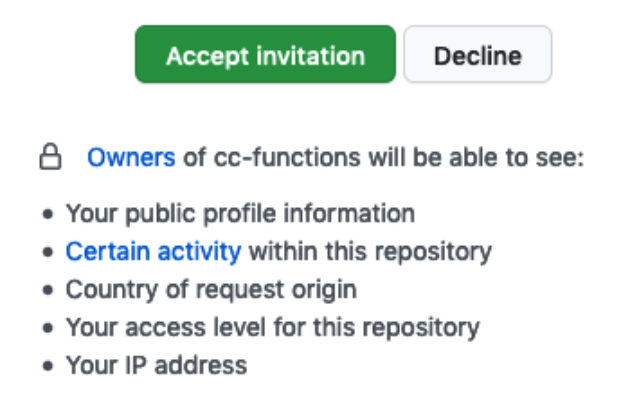
- Click the Fork button on the upper-right to fork the repository in your own Github account.
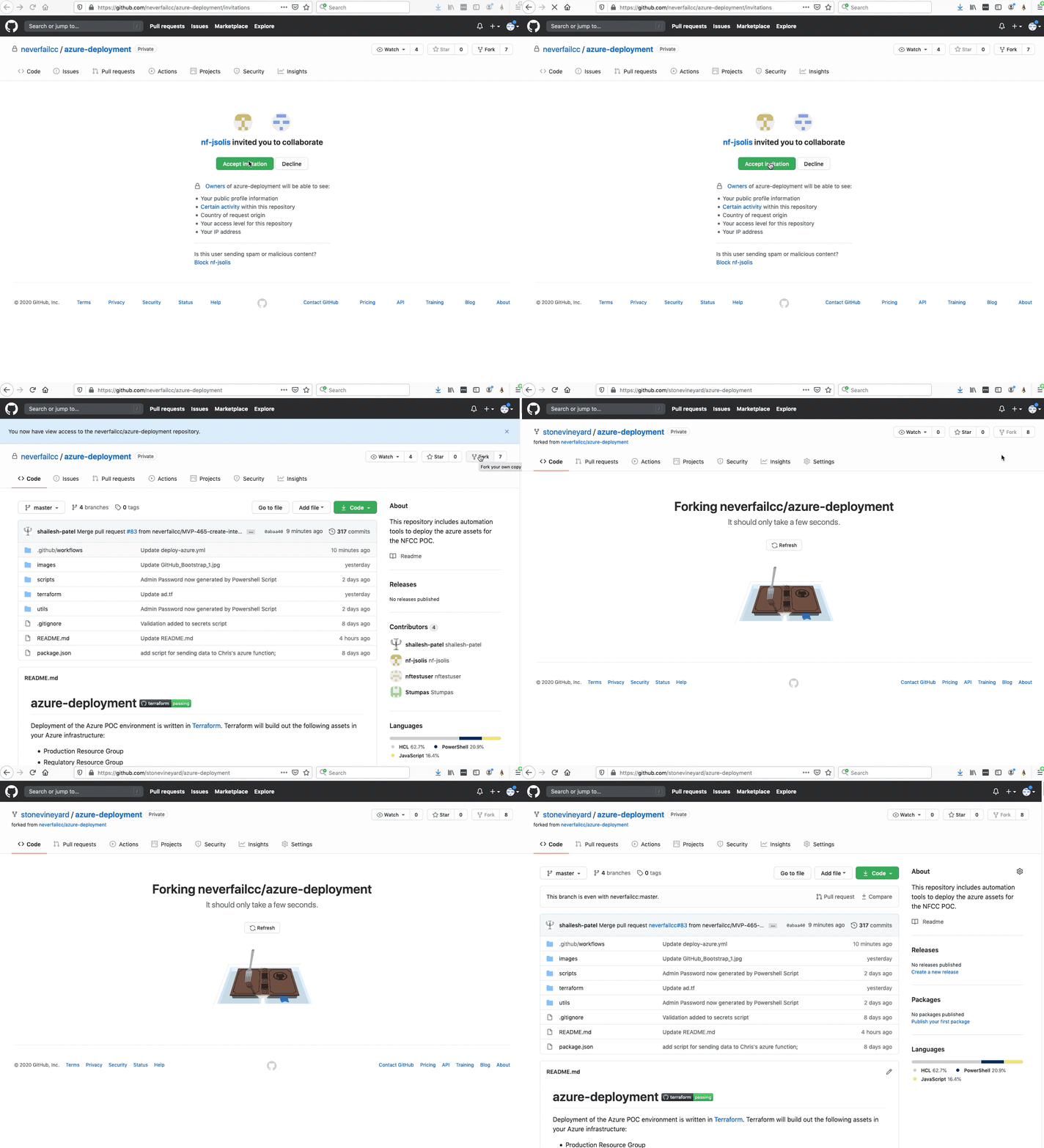
2. GitHub Actions Approval
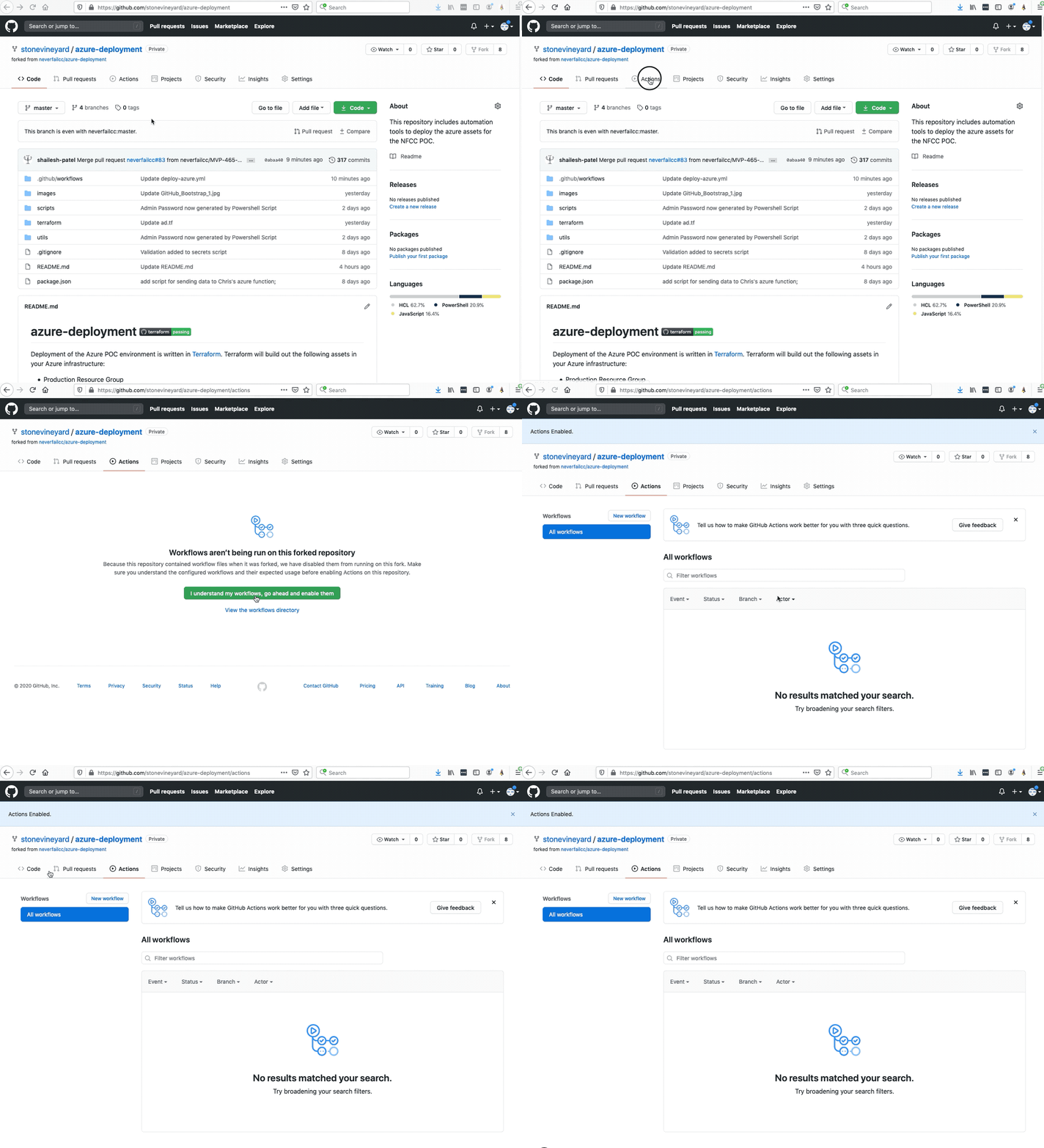
In order to use GitHub Actions to build out the deployment, you will need to consent to using Github Actions:
- Click on the Actions tab located on the top navigation of the GitHub Portal.
- Click the I understand my workflows, go ahead and enable them.
3. Use the Github NFCC Functions Deployment Template
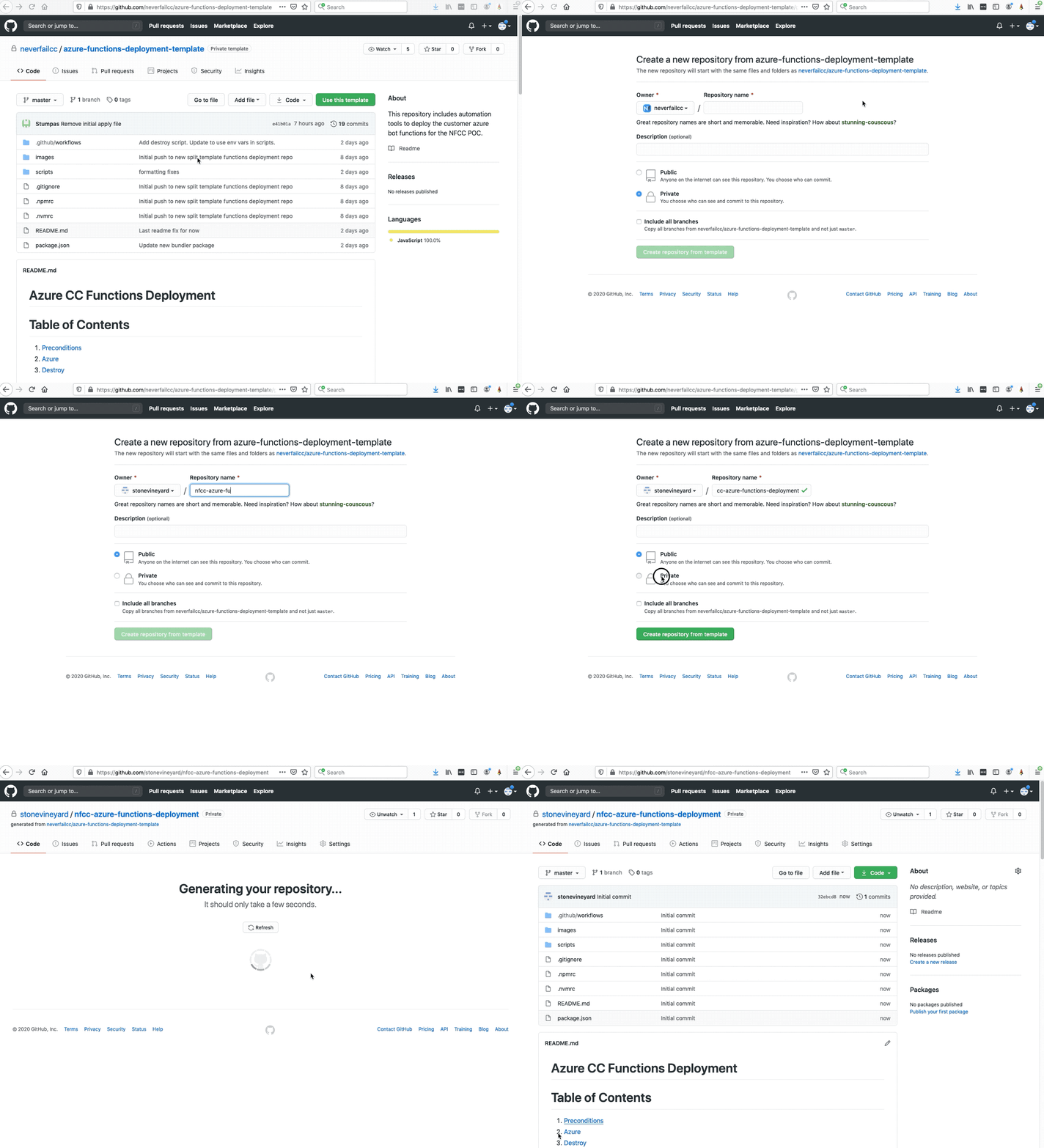
Visit the NFCC Azure Functions Deployment Template Github repository and accept the pending invitation.
Click Use this template to get to the “Create a new repository” screen.

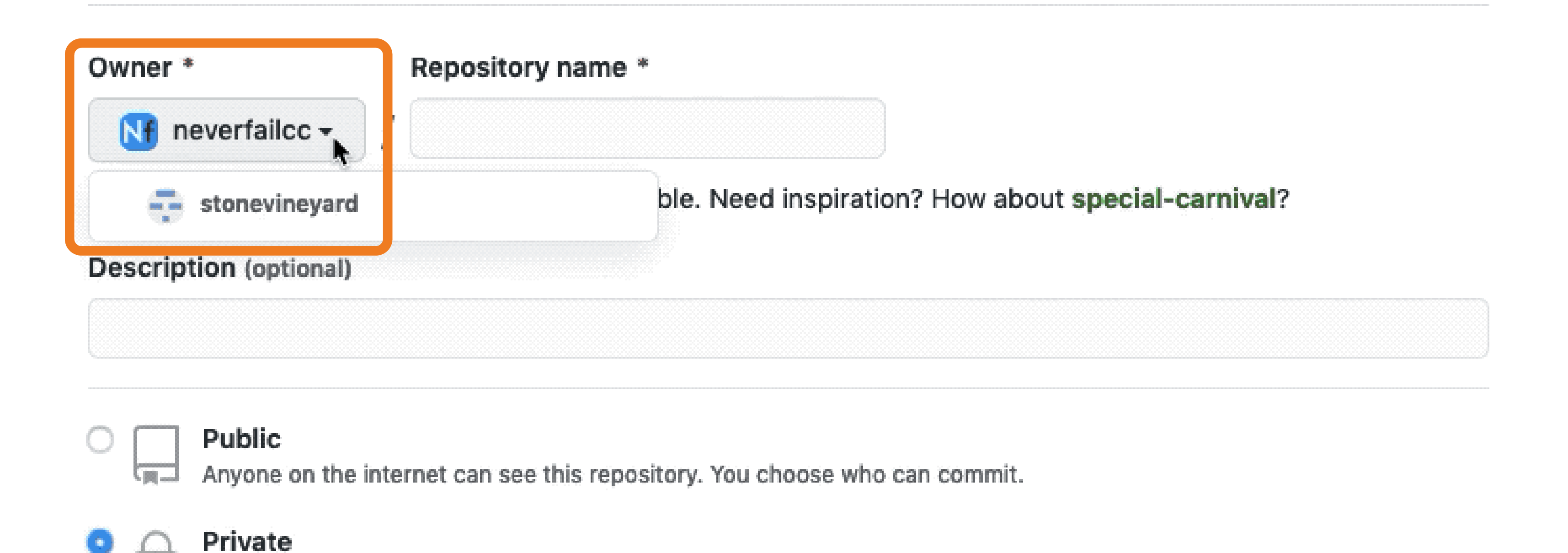
Change the Owner to your Github.com user.
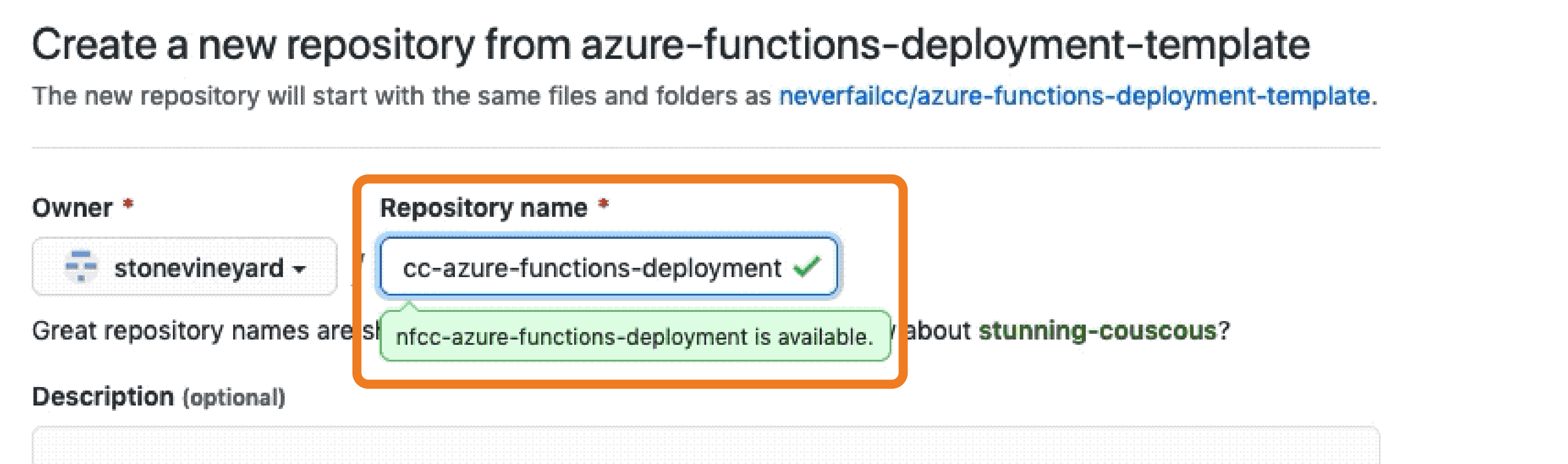
Enter “nfcc-azure-functions-deployment” in the Repository name field.
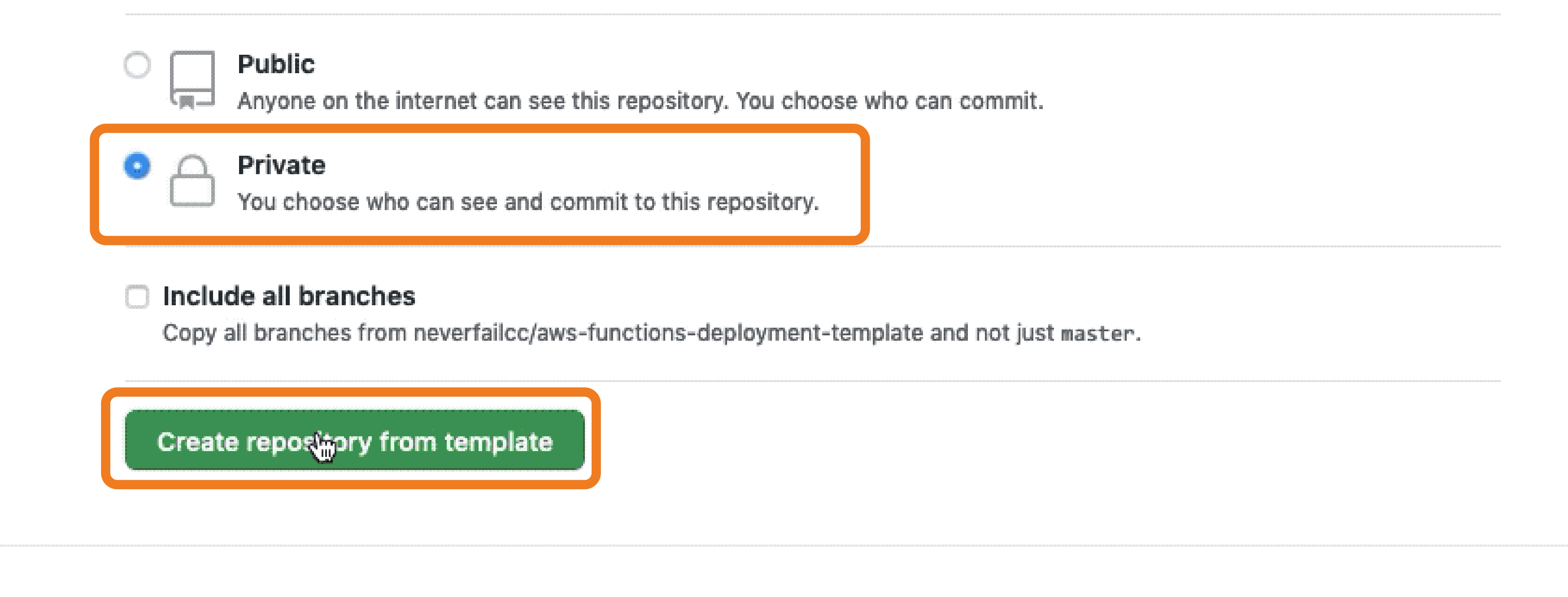
Set to Private visibility.
Click Create repository from template.
4. Automated Asset and Secret Creation
To expedite the creation of the numerous administrative and virtual assets required to support the deployment, a Powershell script has been made available for your use. The interactive script file needs to be uploaded into your Azure Portal Cloud Shell, then executed. Using your Github personal access token, it will populate GitHub Secrets for both the https://github.com/neverfailcc/azure-deployment - Connect to preview and the repositories required.
Configuring a GitHub Personal Access Token
The GitHub Personal Access Token is used to populate the GitHub Secrets section with Secrets used for both Sandbox Infrastructure and Bot Deployment:
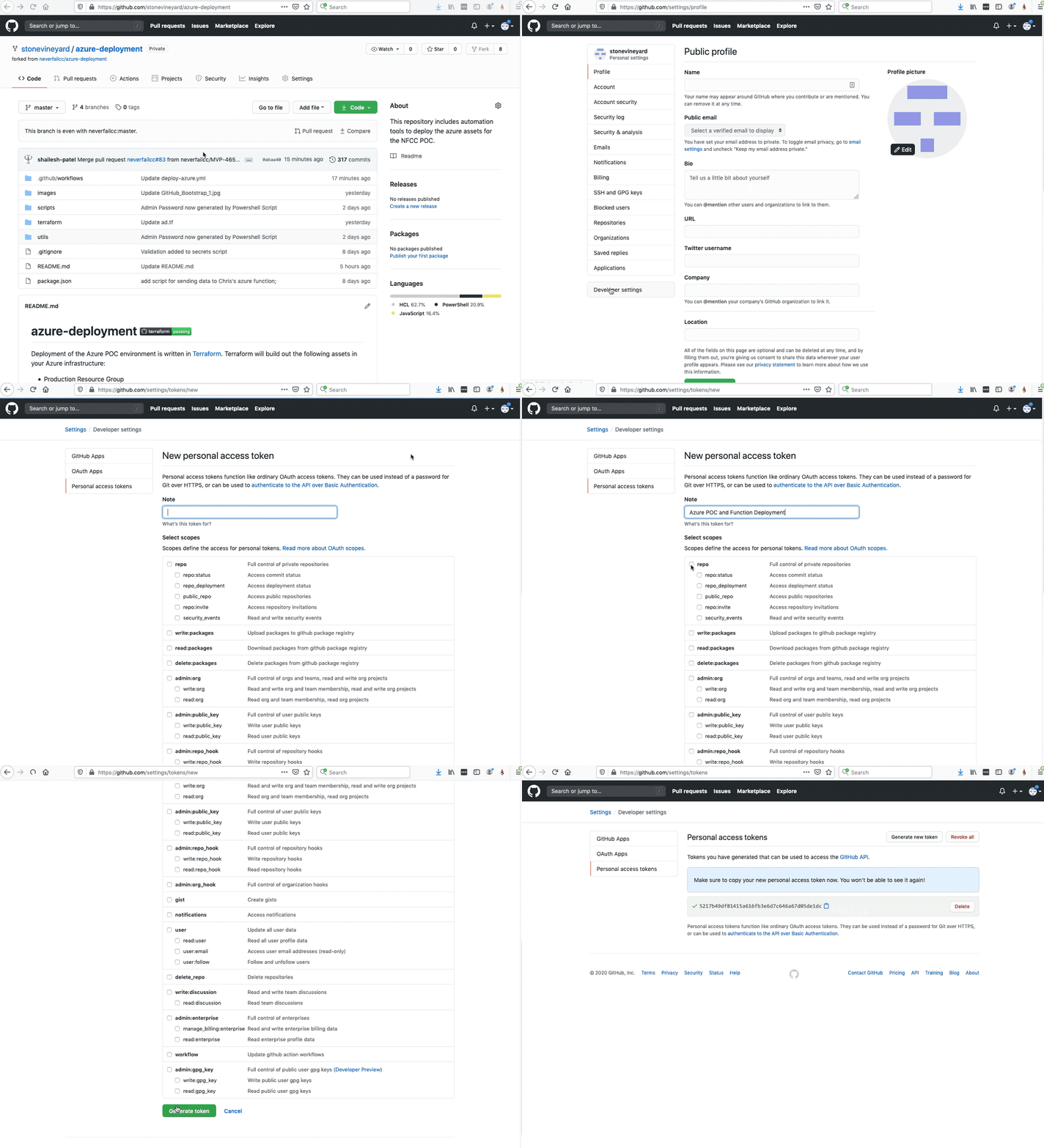
- Select the User icon and then Settings from the GitHub nav bar.
- Select Developer settings from the left column nav bar.
- Select Personal access tokens from the left column nav bar.
- Select Generate new token on the right-hand side.
- Enter “Azure Sandbox and Function Deployment” for the Note name, and select the top/first repo scope option.
- Scroll down and then select Generate new token.
- Copy (clipboard icon) the
Github Personal Access Tokenvalue and save it to your clipboard, because it is not retrievable later.
Upload Powershell Boostrap Script into Azure Cloud Shell
Before you proceed, if your Engagement Lead did not yet provide a copy of the nfcc_azure_bootstrap.ps1 script file, please access the file in the NFCC azure-deployment repo_itory_
Login to https://portal.azure.com.
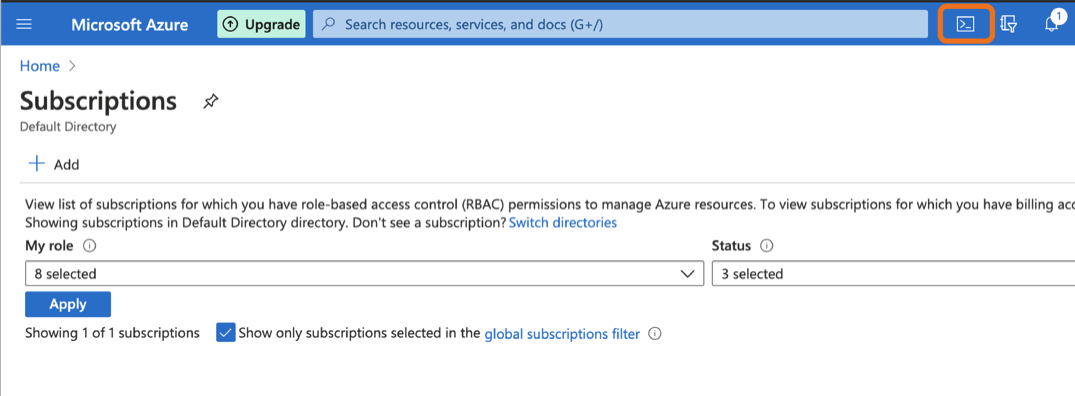
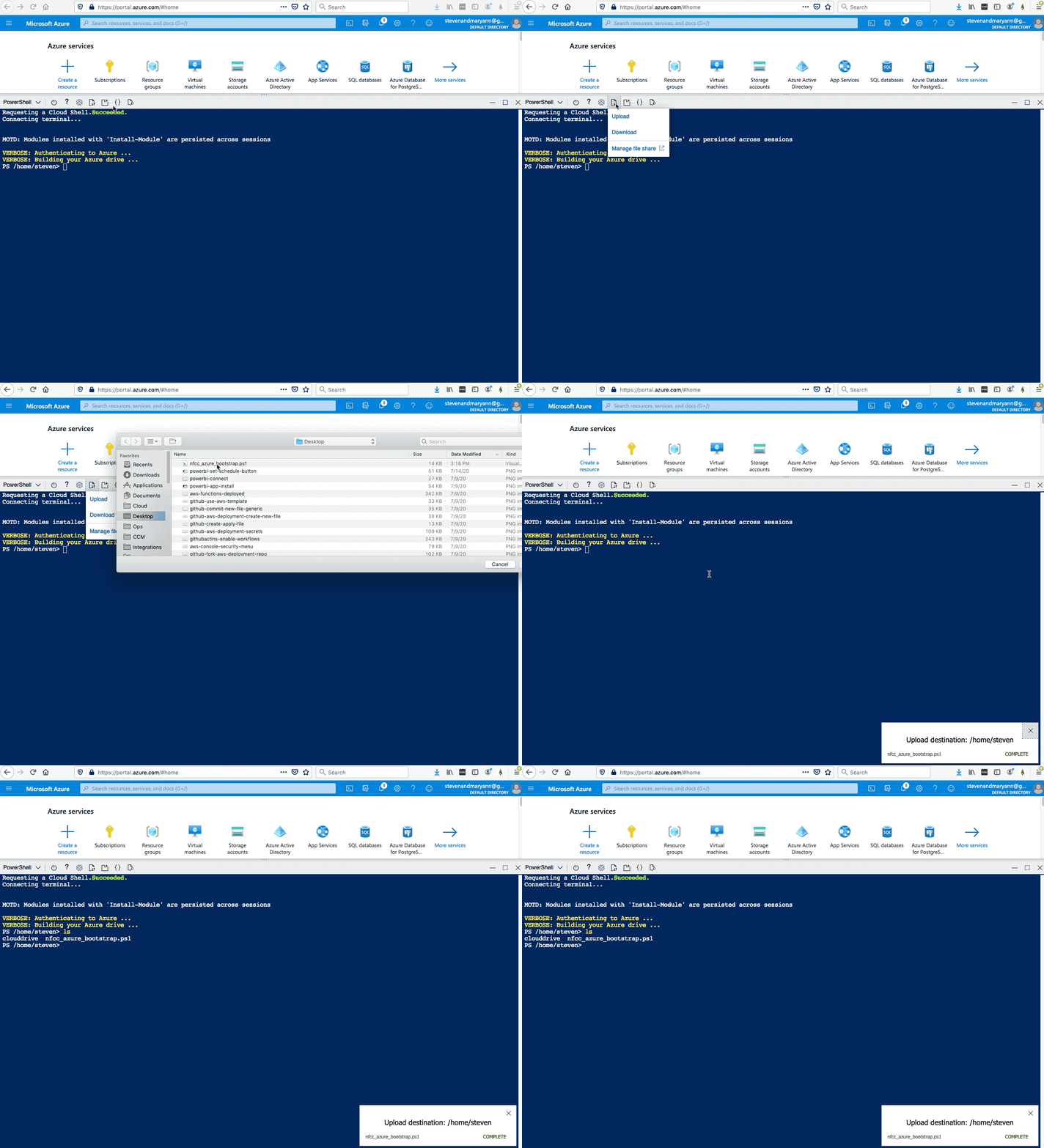
Access your Azure Cloud Shell by clicking on the Cloud Shell icon in the top menu bar.
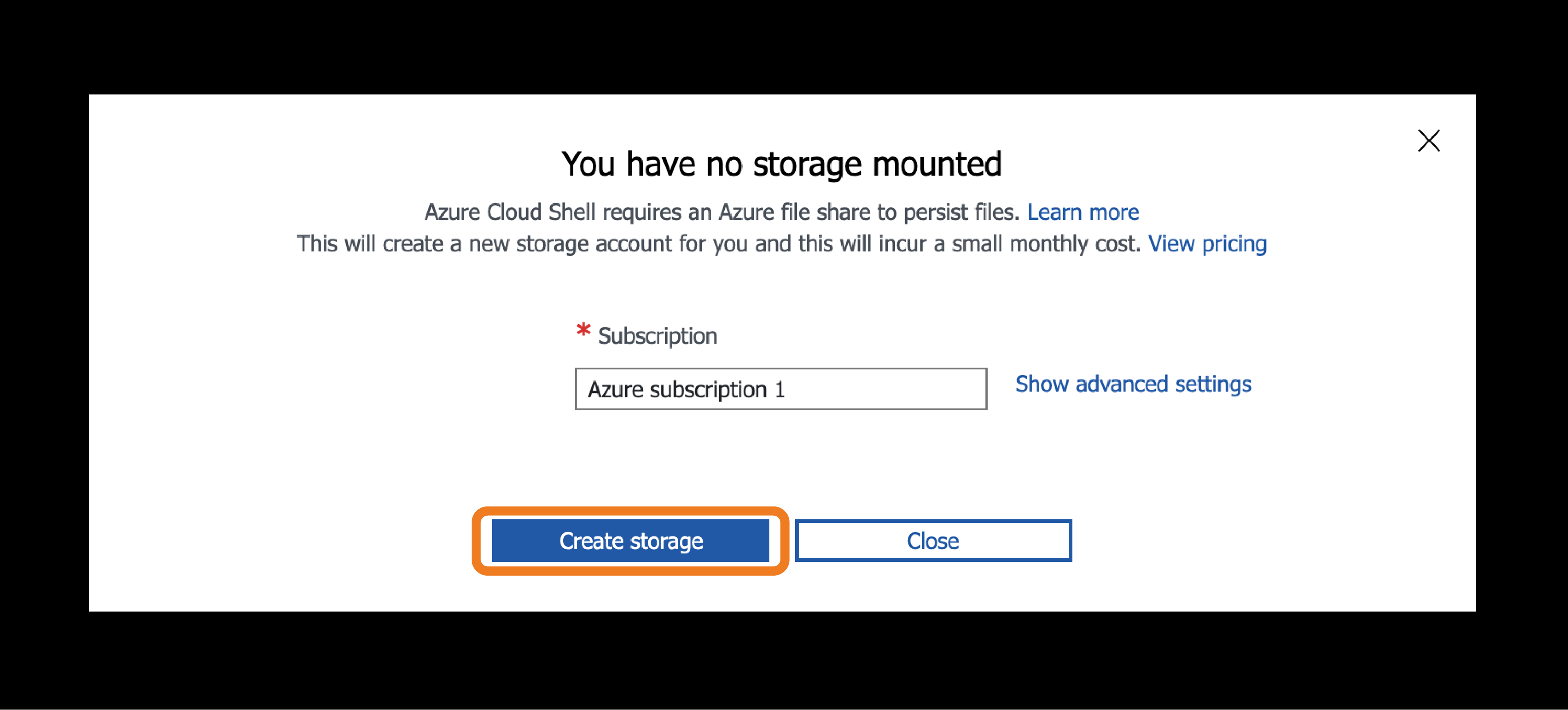
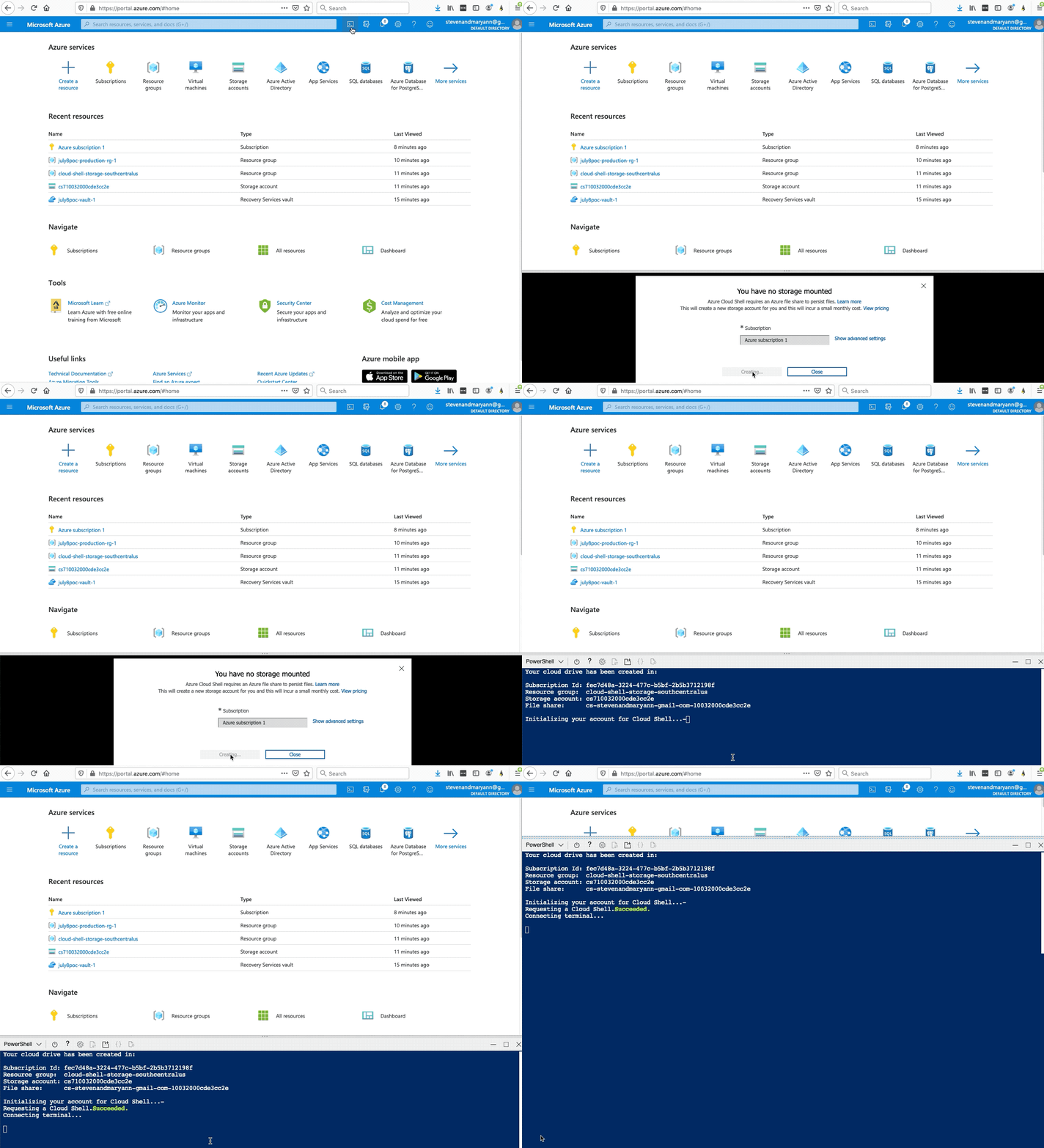
If this is the first time using the shell, you will need to Create Storage.
If prompted, select PowerShell as the environment.
Select the Upload/Download Files button.
Select the Upload button and upload the “nfcc_azure_bootstrap.ps1” file.
Run the Bootstrap Script in Azure Cloud Shell
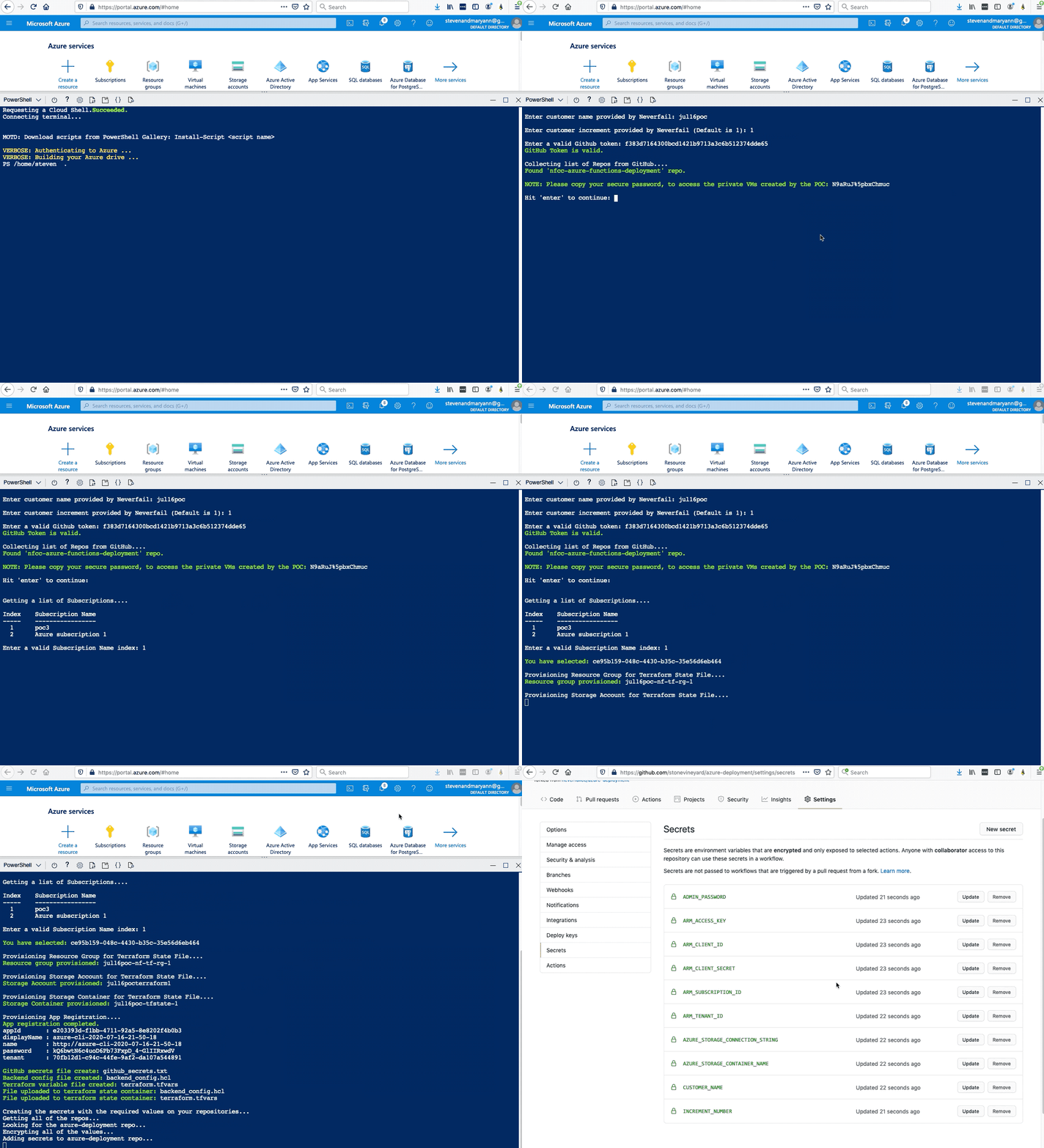
- From the command line run the following command.
./nfcc_azure_bootstrap.ps1 - Enter the customer friendly name provided in your WIQ task ticket.
Enter customer name provided by Neverfail: - Enter increment number 1.
Enter customer increment provided by Neverfail (Default is 1): - Enter your valid Github token. This is token created above.
Enter a valid Github token: - You will be shown a list of subscriptions to choose from. Enter the index number of the subscription to use. The script will now create the administrative assets and Github Secrets required to proceed.
5. Trigger the Github Actions Workflow
To start the deployment process using GitHub Actions, follow the instructions below.
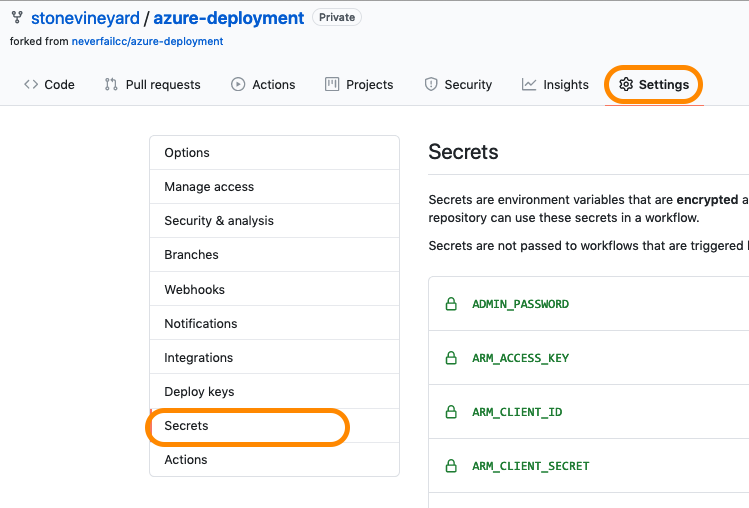
Navigate to your /azure-deployment repository and click on Settings then Secrets, and confirm you see this set of entries.
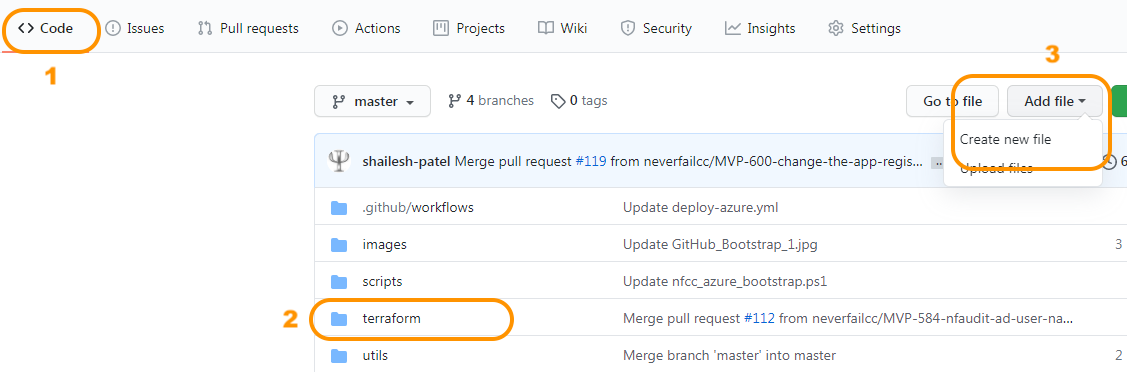
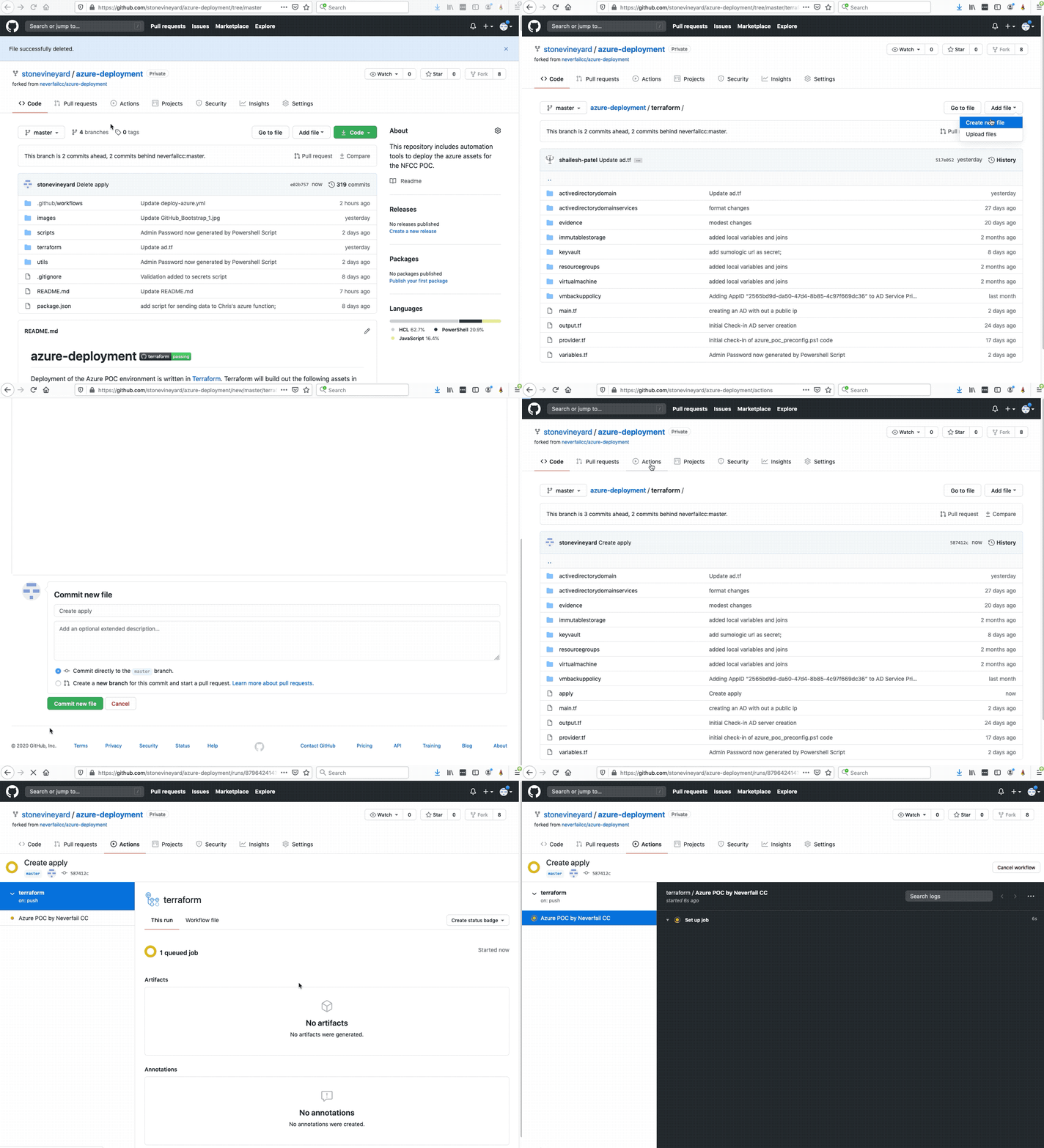
Click on the < > Code tab, then navigate to:
- Azure deployment > terraform folder
Click Add file, then Create new file.
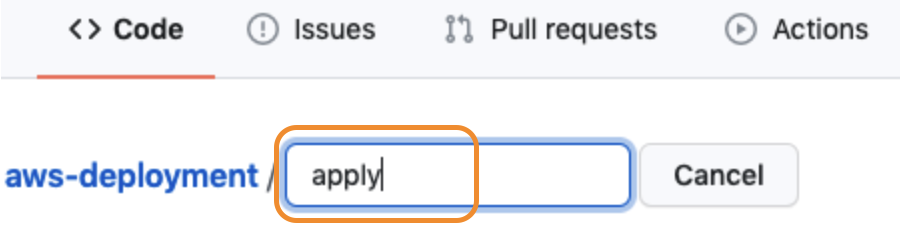
Enter “apply” for the file name, then scroll down.
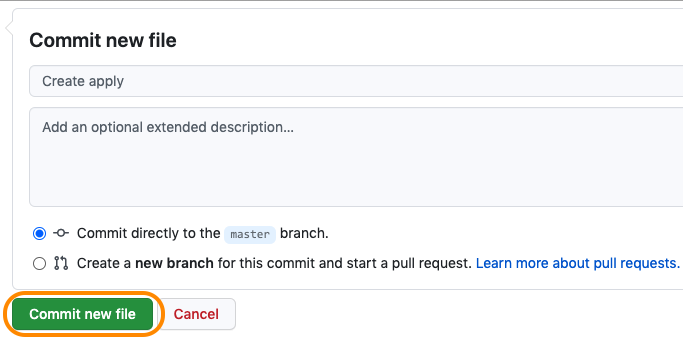
Select Commit new file.
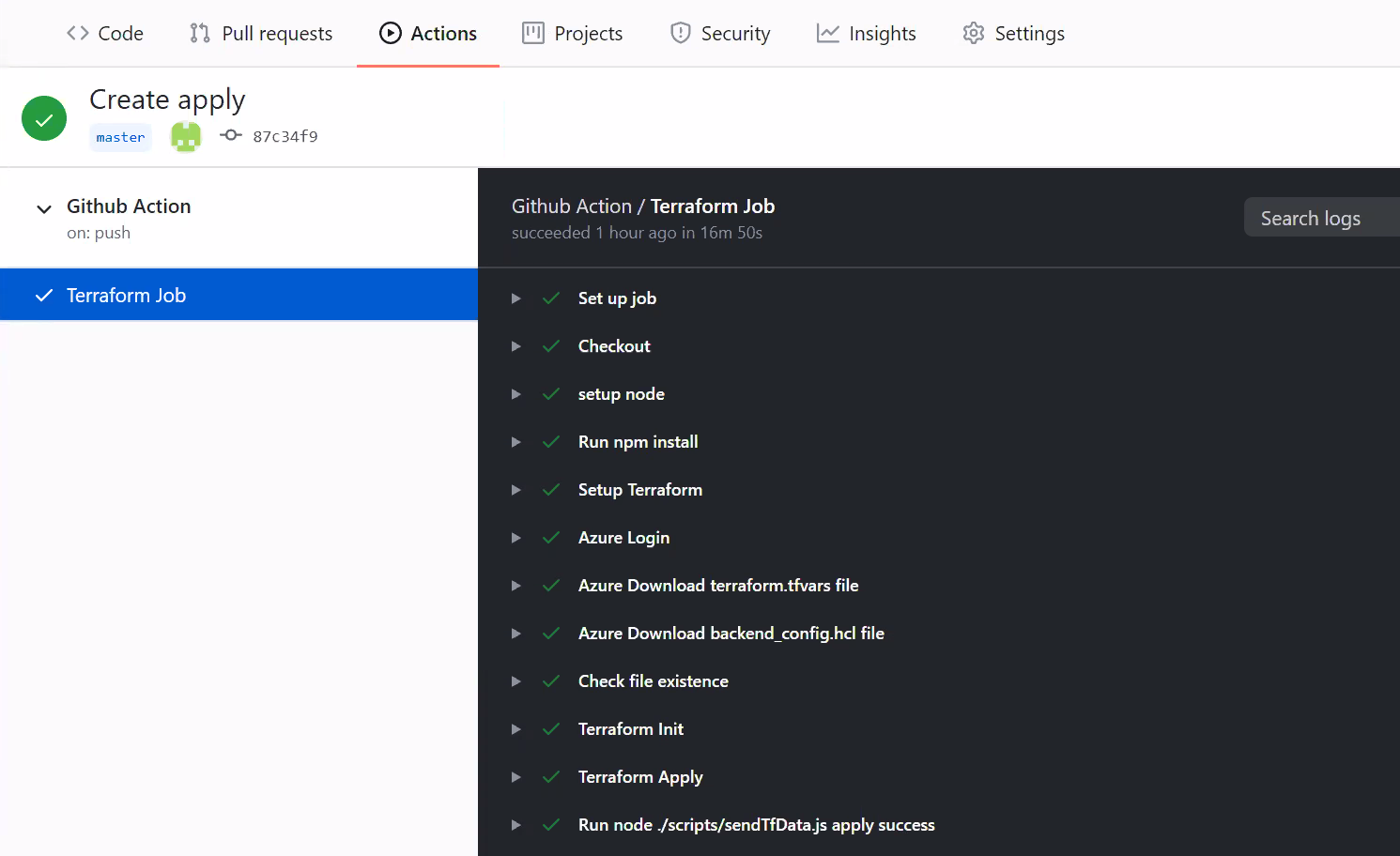
Monitor the “Create Apply” Action on the Actions tab in your Github repository to view the deployment tasks and once complete, proceed to the manual tasks below.
Active Directory Server Important Notes
The infrastructure deployment includes a VM running Active Directory services, to support a particular Control Test. Please note these important details about this VM:
- The VM can incur high costs due to the way Azure charges for bandwidth. We highly recommend you power down this server when not required. For details on how to schedule VM power downs, please visit https://techcommunity.microsoft.com/t5/educator-developer-blog/azure-virtual-machine-auto-shutdown/ba-p/379342.
- This VM is on the public internet. It has TCP port 636 open to support LDAP over SSL connectivity required for the AD user password policy Control Test. It also has TCP port 64321 open for RDP access (non-default port).
- If you want to RDP to the server to modify the user properties, you will need to RDP to it’s public IP address on port 64321.
- The localhost\administrator password for this server was provided during the interactive script execution. It is also available in the Azure shell directory in file “github_secrets.txt.”
Verification of Asset Creation
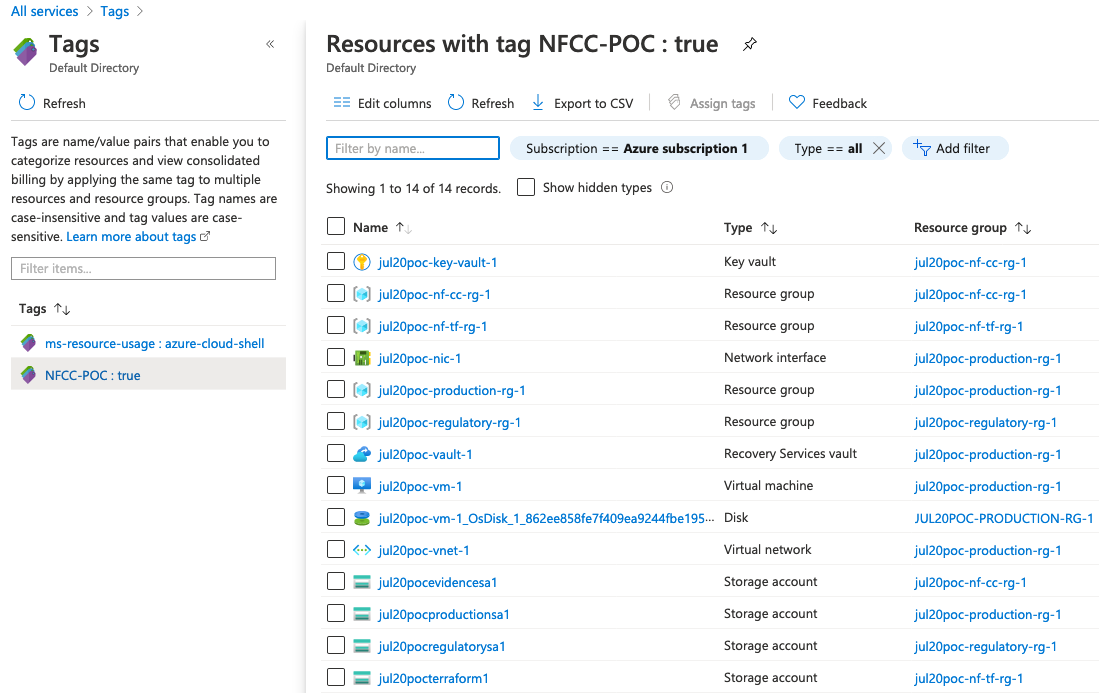
For reporting purposes, every asset deployed will be tagged with key:value NFCC-POC: True. To review the provisioned assets, follow these steps:
Visit the Tags section from All services in the Azure portal. Optionally, search “tags” in the Azure portal top search bar.
Once in the Tags panel, click NFCC-POC : true.