The Continuous Controls Power BI App
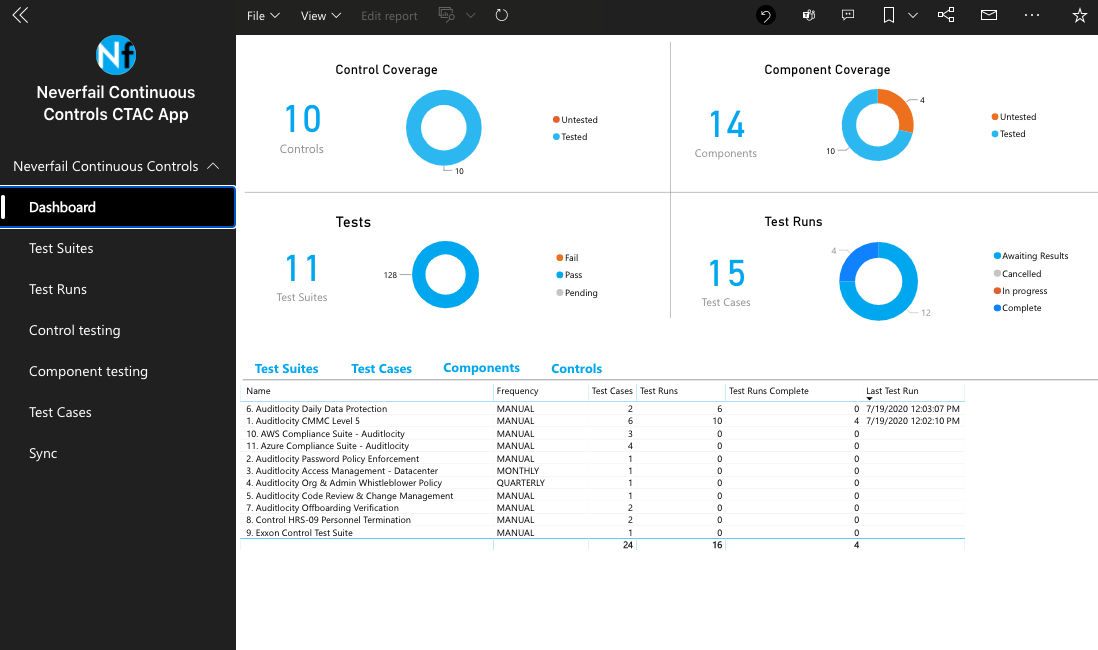
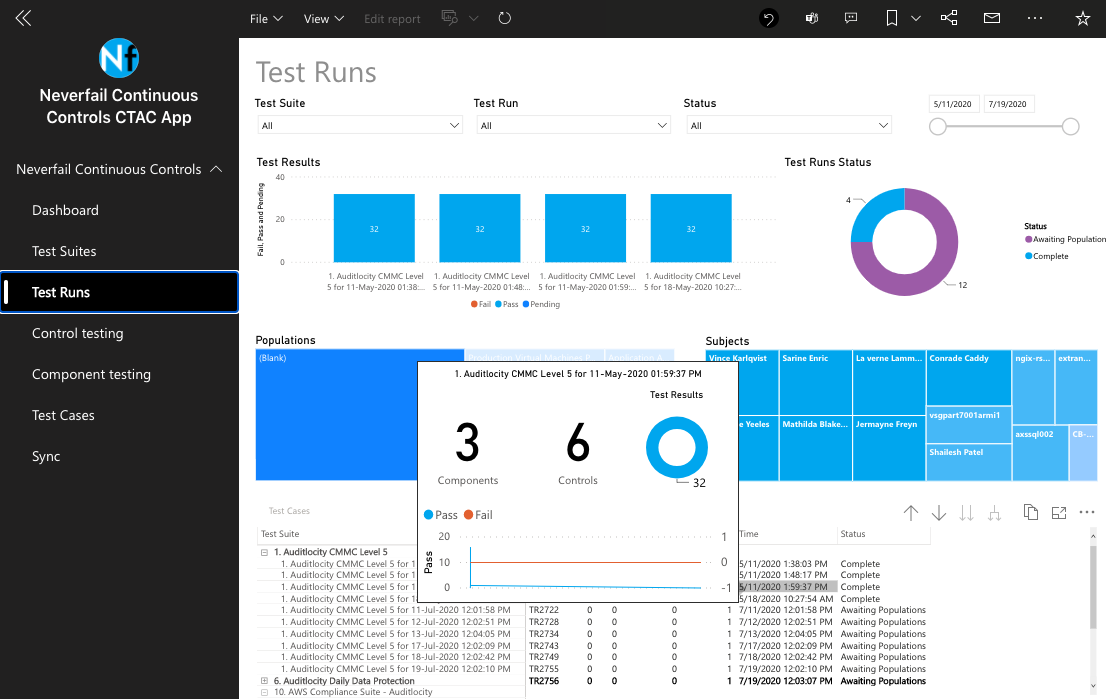
The Continuous Controls Power BI App can be used to see reports with Control Testing details and outcomes over time. To access the app, please visit https://app.powerbi.com and open the app per the earlier deployment. Reports included:
- Test Suites
- Test Runs
- Control Testing
- Component Testing
- Test Cases
- Sync
Data Synchronization
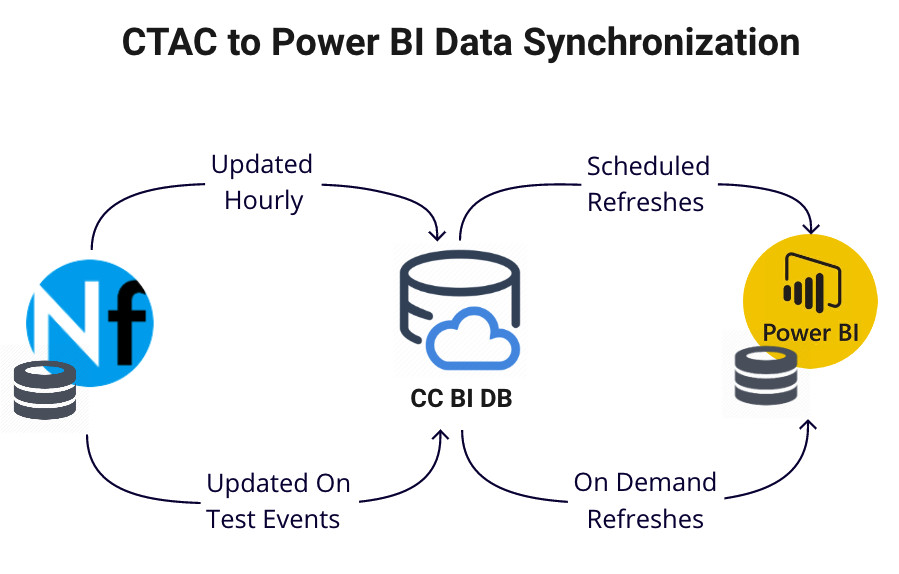
Continuous Controls events such as Test Suite runs trigger data updates to the Neverfail CC BI database (CCBI DB). Updates are also performed hourly from Continuous Controls to CCBI DB. The “Sync” report in the Power BI app will show the latest update time.
Power BI imports the data from the CCBI DB into its dataset on a scheduled frequency and on-demand. You might consider such a dataset a point-in-time copy. Because Power BI copies the data, you must refresh the dataset to fetch changes from the CCBI DB. Up to eight scheduled refreshes per day can be configured in PowerBI.
Test Suite Runs
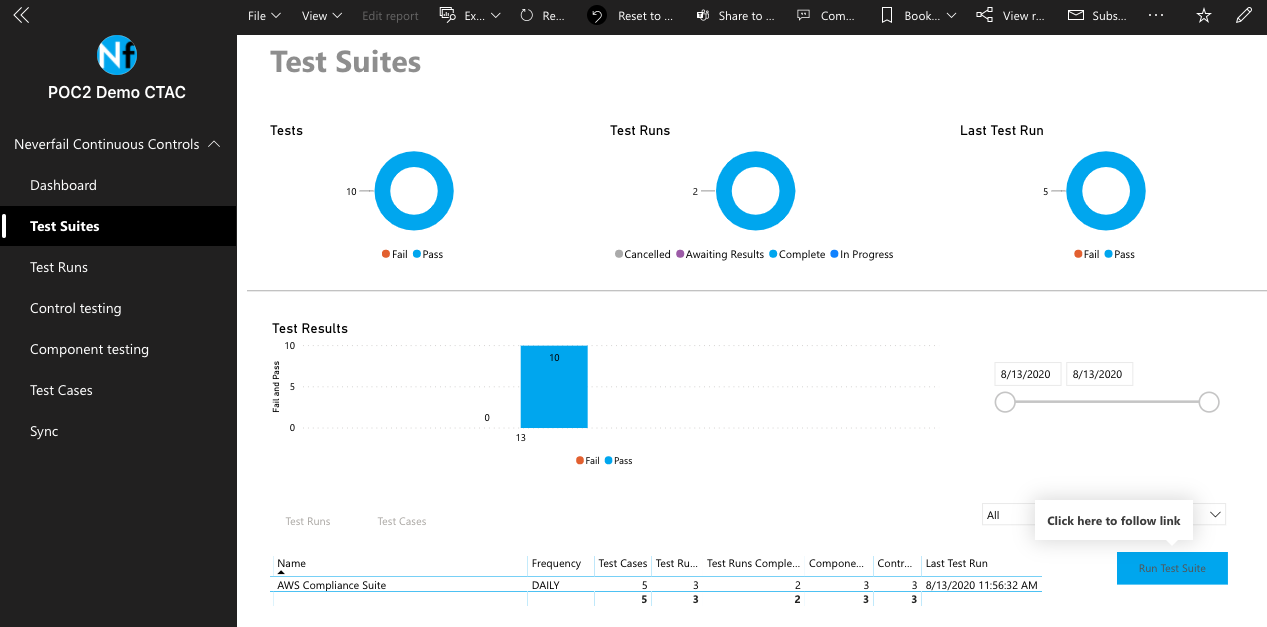
From the Test Suites report, you can launch new Test Suite Runs. When clicked, the Run Test Suite button will notify the Continuous Controls platform to queue up a new Test Suite run. The actual execution of your Test Suite is determined by its place in the queue, and it may not run immediately, but generally should run within five minutes or less. Upon completion, updated data is sent to the CCBI DB, with a new sync time, and the PowerBI app dataset is ready to be refreshed. Currently, this feature allows up to five Test Suite Runs per 24-hour period, resetting the timer at 8am cst. These runs are in addition to the normal scheduled runs, which may be daily, weekly, monthly, or quarterly.
Configuration Assistance
For more details and instructions on configuring the Power BI app, click on this link: